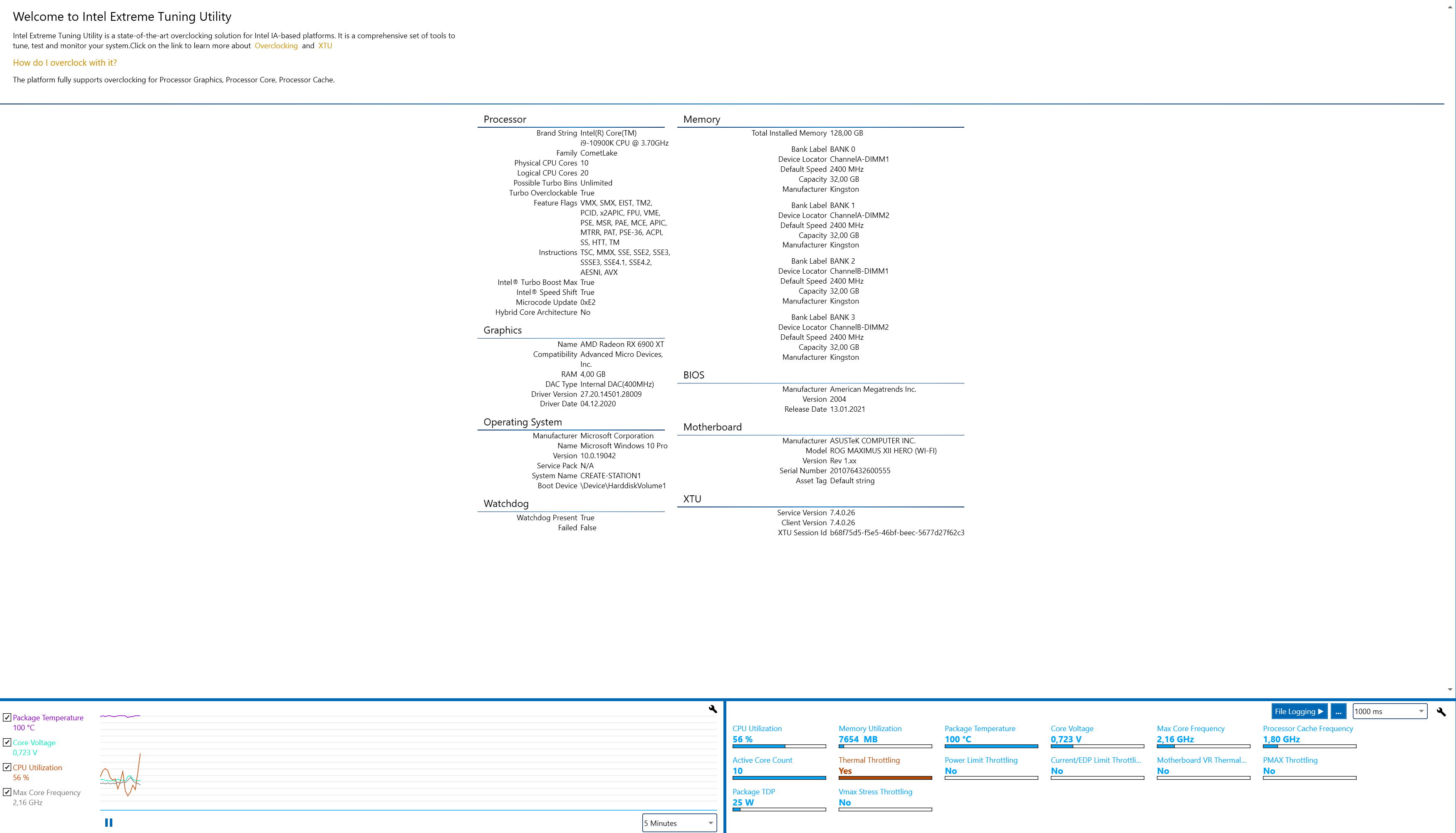
I am having severe issues with my newly built desktop computer. Temperatures are reaching what I would regard as a hot day in hell.
I can add that I have been having other problems with this build although I can`t see how the issues would be connected. The other issue I encountered was that my RAM was not detected/deemed incompatible during post, this was despite that the RAM was listed as a qualified vendor for that specific motherboard. Anyway, some friendly folks at Kingston did provide another set and that solved the problem. I could then use the computer for two weeks before running into this issue.
The overheating started the day after doing some benchmarking/stress testing using Time Spy. I started my computer and it started throttling like crazy and making lots of noise (fans spinning wild) when I was working in Photoshop or Blender (can`t remember exactly). The computer became unresponsive and I could not close the program or do anything. The computer then shut down. After doing post I got the message CPU Fan Error. I entered BIOS and could see temperatures quickly reaching the high 90s degrees Celsius. I ensured that BIOS settings were set to default but it didn`t help. I checked that all fans were running, and they all were spinning. I turned off the computer and checked that all cables and screws where properly connected and they were. I tried changing wich pins the AIO was connected to (AIO, CPU Fan, CPU Opt etc) with no success. Then I disconnected the CPU cooler which is an AIO water cooler: Fractal Design Prisma S36 Celsius+. I checked if there were irregularities in the pattern provided by the thermal paste, but could not see anything noteworthy. I removed the thermal paste from CPU and cooler using 95% isopropanol and a cloth. I then applied some fresh Arctic Silver MX-2 thermal paste evenly on the CPU and connected the AIO cooler to the CPU, ensuring it had proper pressure and mounting the screws in a criss-cross pattern. I started up my computer and got the CPU Fan Error message again. I also updated the motherboard BIOS but that did not help either.
I have reached out to Fractal Design since I notice a very small “dent” in the AIOs plate surface when I was removing the old thermal paste. Although, I would assume that this minor unevenness would be filled by thermal paste, after all it had been working for several weeks before and had remained untouched since I finished assembling my computer. I am still awaiting their reply though.
I now have run out of ideas for what to do so I would really appreciate any help/advice…Can it be a faulty CPU? Is it possible that it has something to do with the motherboard or PSU? It is really hard to test these things since I don’t have a compatible CPU cooler, motherboard or extra PSUs laying around. This issue is really bad since I need the computer for work and I already am lagging seriously behind my schedule because of this.