Hello everyone, I’ve been having a strange issue with VSync on certain Source Engine games (I can’t check all of them now, but since it’s persisted through two games I think it’s safe to classify it as an engine-wide issue.)
I use VSync on many games, including Source games like Half-Life 2, and for the most part, it works fine. I haven’t played these games for about a week because I’ve been busy, but I have stayed up to date with drivers, and I think this is where the issue may come from.
When I first opened Half-Life 2 earlier today, I noticed an extremely bad pixelated mess towards the middle of the game window:
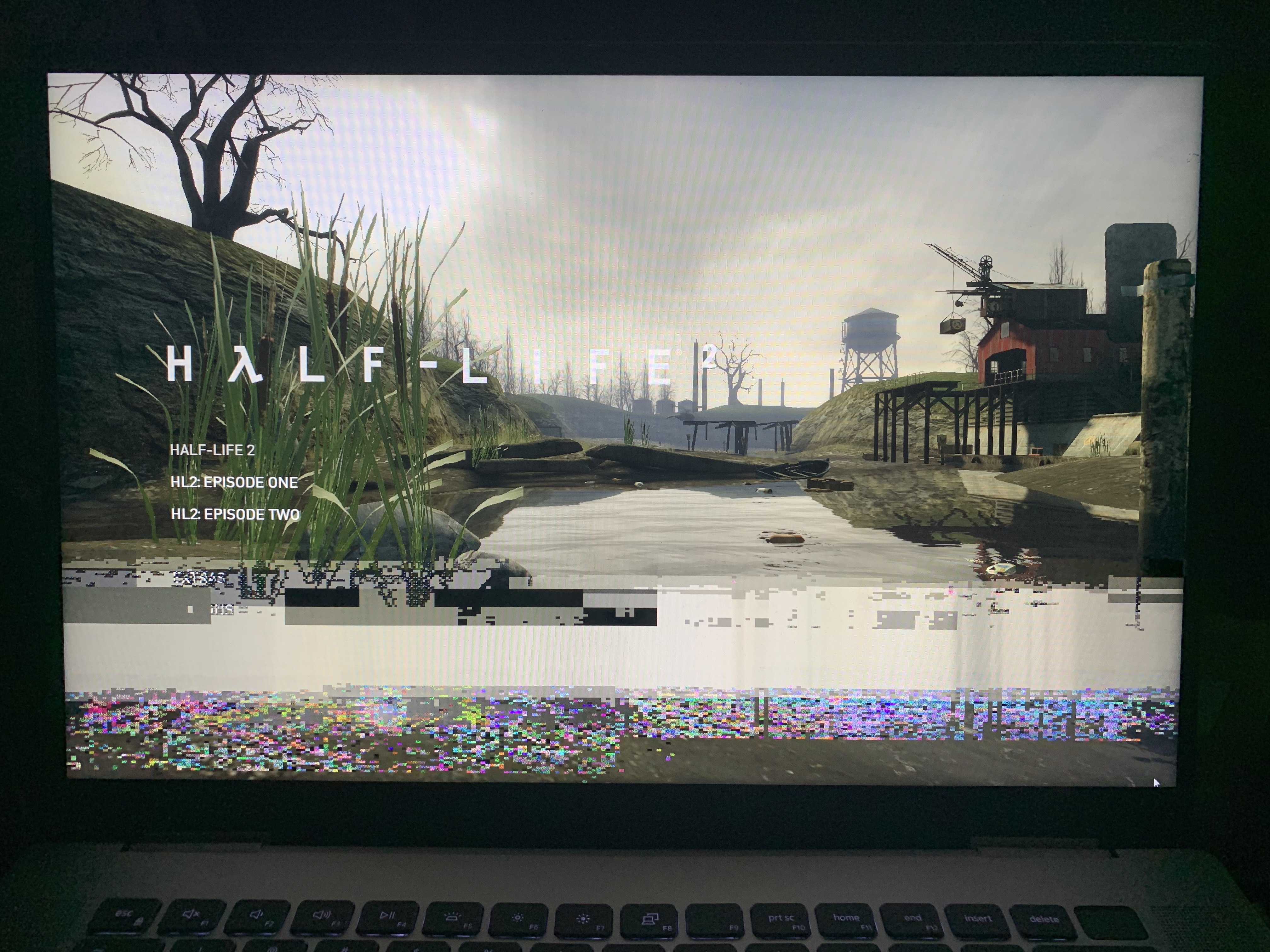
I was a bit worried by this but decided to see how bad it was, and it turns out that this issue also persists in game.

By this point, I decided to see if this was a VSync-related issue since it reminded me of tearing, so I quit Half-Life 2 and decided to open TF2, enabling VSync to which I got similar results, except much faster. Like Half-Life 2, they also persist in game. I’m sorry if the quality is much worse, but the flickering was so quick that I needed to take stills from recordings.


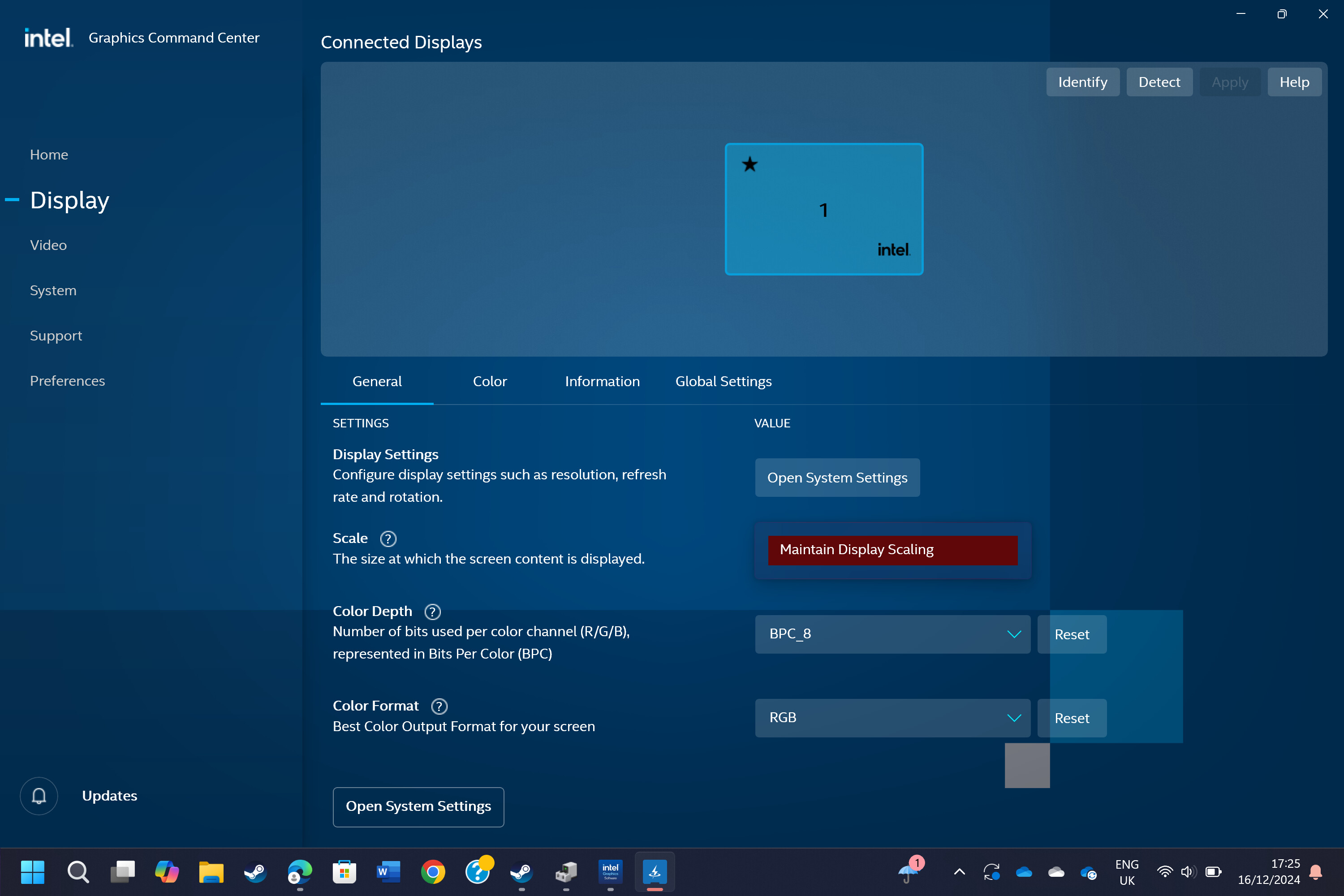
Likewise the inclusion of the new “Intel Graphic’s Software” seems to have undone the ability to stretch games/software if they’re at a lower resolution, which was previously done with “Intel Graphics Command Center”, but this can quickly be fixed by lowering the system resolution, then opening the app, going to “Display” and setting “Scaling Mode” to “Display Scaling/GPU Scaling” (depending on what you’re using it for), and “Scaling Method” to “Stretched”. For me though, I had to choose GPU Scaling to select Stretched, then had to switch it back to Display Scaling. If you don’t do this it seems to just give you a glitched selection box for Scaling mode.
I just hope that these issues are fixed and resolved since they impact a good chunk of my game library that I’m able to play on my laptop as Iris XE can’t handle more graphically intensive games. If anyone has an idea as to why these artifacts occur I would appreciate it greatly. I would also like to see an update that fixes the options for scaling mode/method and allows you to import settings straight from the Graphics command center since it’s a welcome upgrade from the prior software in my opinion.